
Spend more time creating.
Artdash takes the applications, helps you and your team pick who gets a slot, and emails everyone the result. You get back to creating. It is completely free to use as a way to give back to the community. No strings attached.
From artists who switched
I found artdash a few years ago and genuinely wish I found it sooner. I used to use Google Sheets but it was really clunky. This is way simpler and you can tell it’s actually made for artists🙌 cannot recommend using it more, especially for a large application pool
on X
Ever since I started using Art Dash a few years ago I cannot go back to taking commissions the old fashioned way. Art Dash makes it easy for us to process over 150 applicants in a way that our team can easily review and jury together. The site is constantly growing and adding new features based on artist feedback. This is a must have tool for every artist that takes commissions.
on X
If you're an Artist and use Google Forms for commissions i -really- think you should give ArtDash a try!! I wish i could show behind the scenes how nice the automation is but it'd show client's info…so just trust me on it 🙏
on X
We absolutely love using Artdash for commission openings. Its such a smooth process for us and client. Its aimed just for artists and what we need. Highly recommend using it for opening up for commissions. Clear, reliable, and easy to understand. I hope more artists use it!
@madefuryou.com on Bluesky
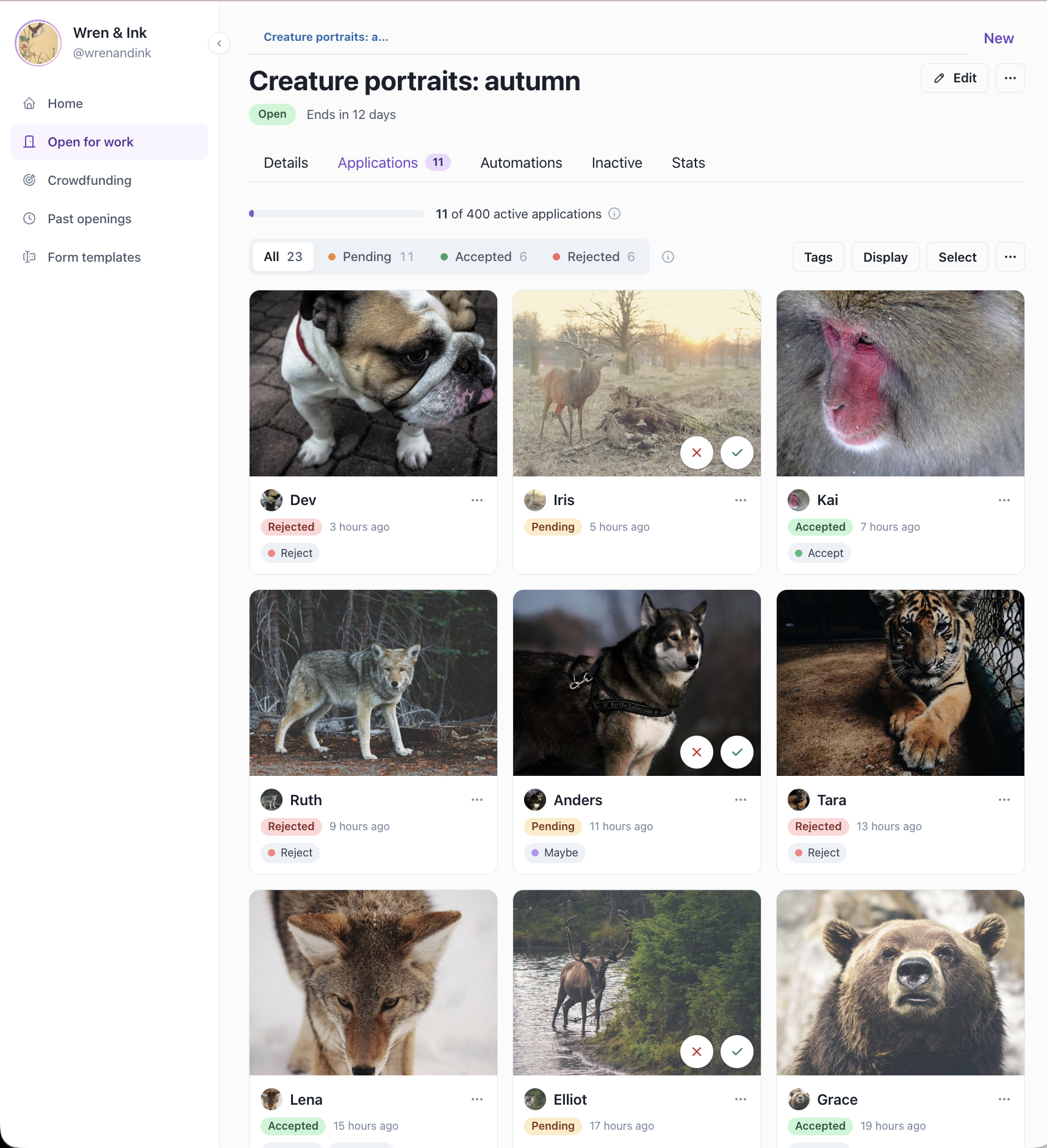
Review every applicant in one queue
See each applicant’s reference image, status, and tags at a glance, with no spreadsheets and no digging through email.
- Accept, reject, or tag applicants one at a time or in bulk
- Filter by status or tag to focus your review
- See an applicant’s history and ratings from past commissions
- Send applicants to Trello and email them when you accept or reject
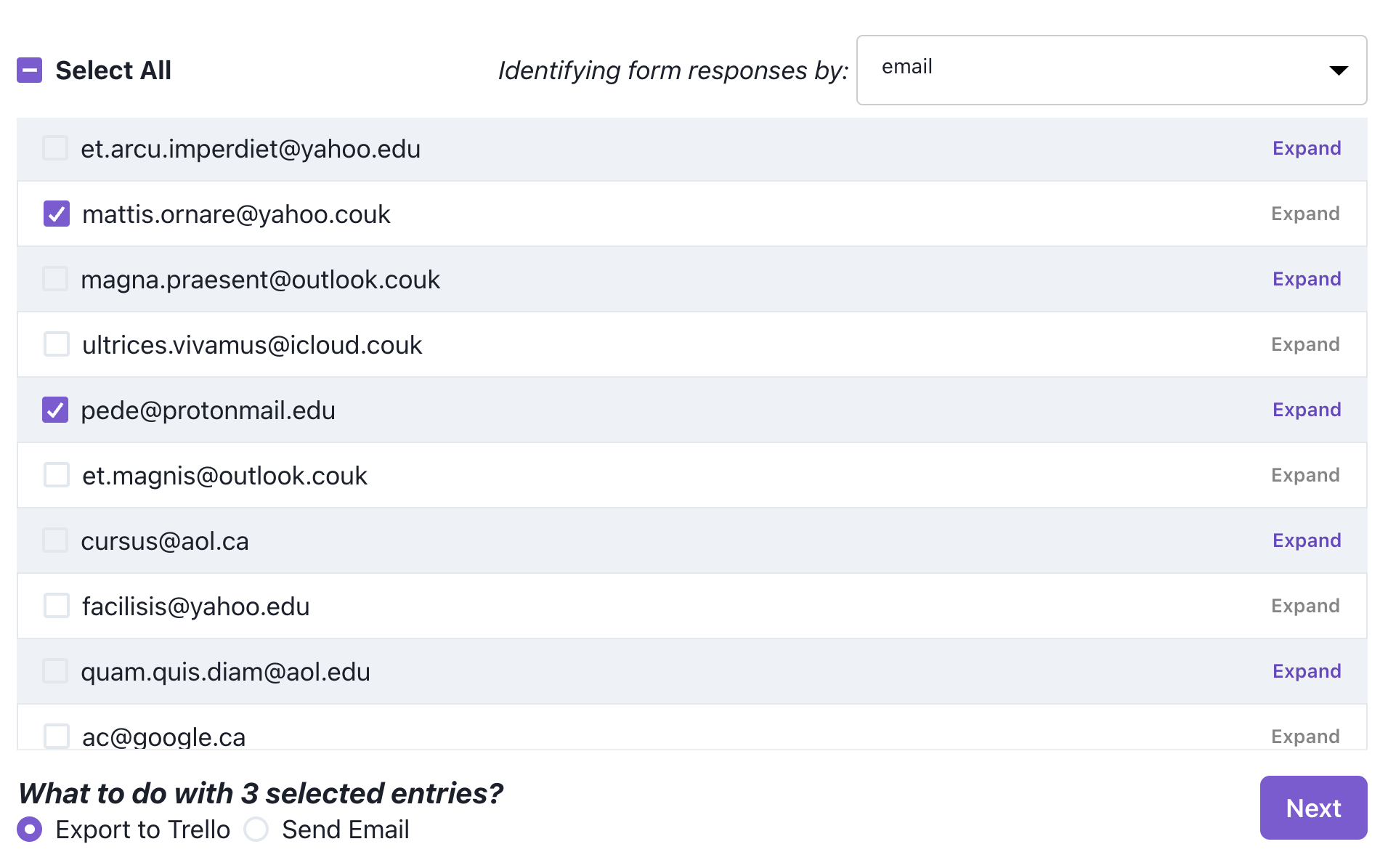
Bring in your Google Forms responses
Import a Google Forms response file (XLS or CSV) and work through it here instead of sorting rows by hand.
- Send the entries you pick straight to your Trello board
- Email a whole batch of applicants in seconds
- Works with any XLS or CSV export
Schedule openings and let followers know
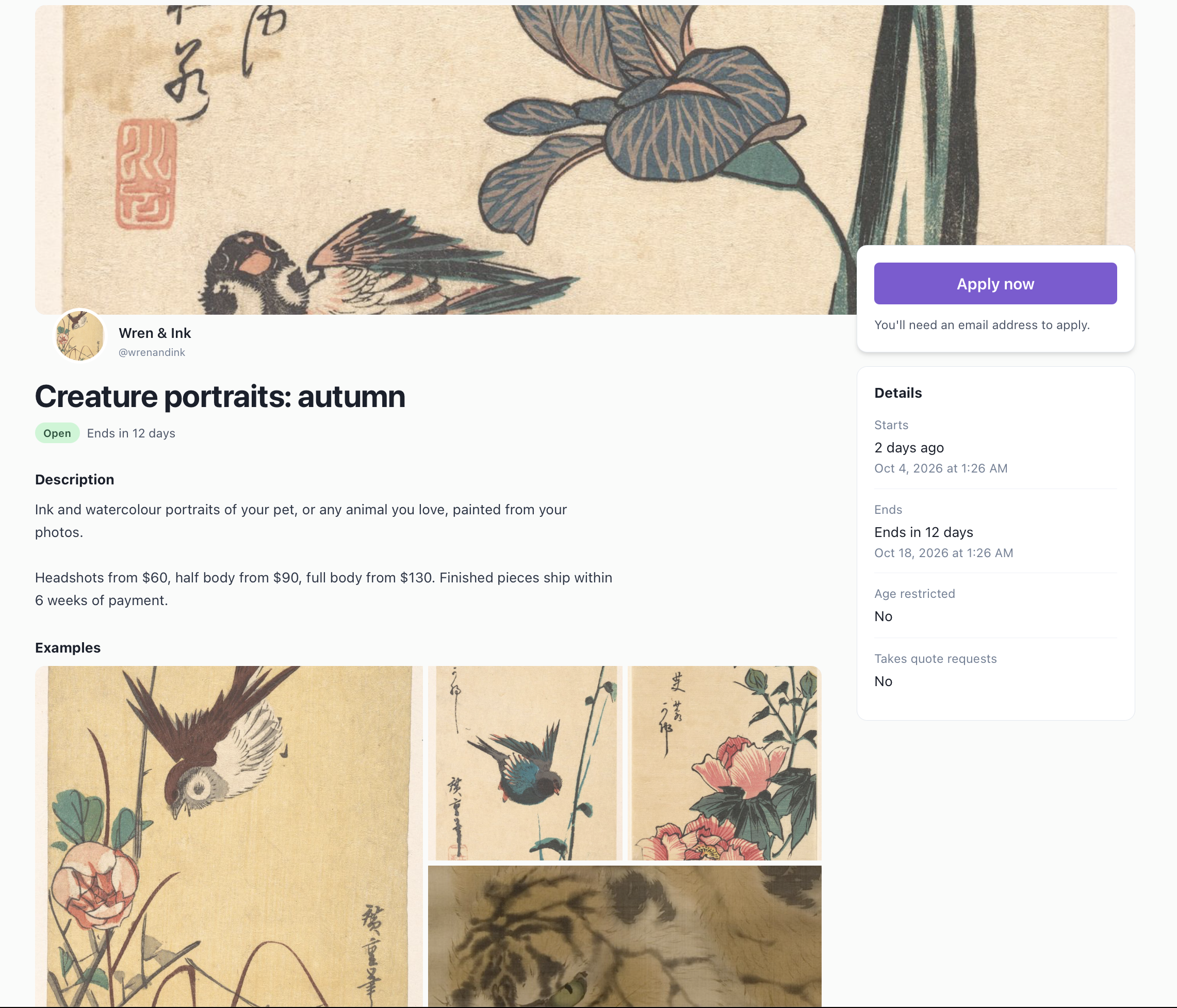
Set when an opening starts and ends, and your followers get an email the moment it opens.
- Use your own Google Form or build one here
- Add a cover image and up to 5 portfolio examples
- Openings close on their own when time is up
If your form is hosted somewhere else, you’ll still need to close it there when the opening ends.
Want to commission someone?
Artists on Artdash post their openings here. See who's open now and apply on their page.
Set up your first opening today.
Completely free! Bring your existing Google Form or build one here.